MP4 to LINK
Drop an MP4, get a link that streams it: this free mp4 to link converter puts your video behind a short mp4 to URL address in seconds.
Upload your video
Drag & drop your video here, or click to browse
Supported formats: MP4, MOV, WebM, MKV, M4V
Max file size: 100MB
Convert video to link free, up to 100MB. Sign in and your links stay up permanently.
How to Convert MP4 to Link
Exported an MP4 and need it out the door? Here is the whole mp4 to link workflow: no software to install, no account to create, nothing to configure.
Drop in your MP4
Drag the file straight out of your export folder or camera roll — MOV, WebM, MKV and M4V work too. The upload is the conversion, so the mp4 to URL step starts on the drop.
Copy the short URL
Because nothing is transcoded, the convert mp4 to URL step is over the second your upload completes. The short videotolink.net address shows up right there with a copy button beside it.
Paste it where files won't fit
Email caps and chat compression stop mattering: your mp4 to link result travels as plain text. Paste it into a thread or a bug report and every mp4 to link URL unfurls into a tap-to-play card.
What Makes This MP4 to Link Converter Different
Uploading here trades a heavy file for a weightless URL. Three things make this convert mp4 to link workflow stick: untouched quality, a real free tier, and one clean mp4 to URL address per file.
100MB free, no strings
Convert mp4 to link free with up to 100MB per file. No trial timer, no card on file — the free tier is the product, not a demo.
Start before you commit
Upload your first MP4 without creating anything. Sign in only when you want a library and every mp4 to link result kept for good.
Bit-for-bit playback
What you exported is what plays. This mp4 to URL converter streams the exact file you uploaded — no second compression pass, no quality tax.
Lightning fast
Convert mp4 to link in seconds. Your file goes straight to a global CDN, so the link starts playing the moment someone taps it — no queue, no processing wait.
Secure by default
Uploads travel over HTTPS, and every mp4 to URL result stays off public feeds and out of search engines until you decide who sees it.
Permanent links
Guest links last 21 days. Sign in free and every mp4 to link result stays up for as long as your account does, so the links you drop into docs and posts keep working.
Who Converts MP4 to Link?
Four kinds of people keep coming back to an mp4 to URL converter. Their files differ; the job is the same.
Real estate agents
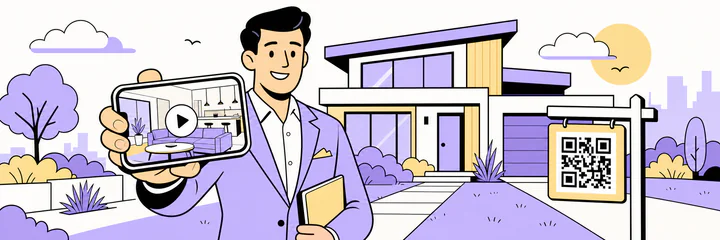
A property walkthrough is the listing. Convert the MP4 to link once, and the same URL works on the listing page, in client messages, and printed as a QR code.
- Property walkthroughs
- Listing pages
- Client messages
- Yard-sign QR codes
Print a QR code on the yard sign that opens the walkthrough video.
Creators and editors
Send cuts for review and embed clips in your writing. The mp4 to link result opens at full export quality, with the original one click away.
- Client review
- Blog posts
- Newsletters
- Course clips
Share a draft cut with a client as one link, no platform upload in between.

Marketers and sales
One consistent video link across every channel. Convert MP4 to link once and reuse the same URL in email, landing pages and DMs.
- Email campaigns
- Landing pages
- Product demos
- Social posts
Run a whole campaign on one demo link instead of re-uploading per channel.
Students and teachers
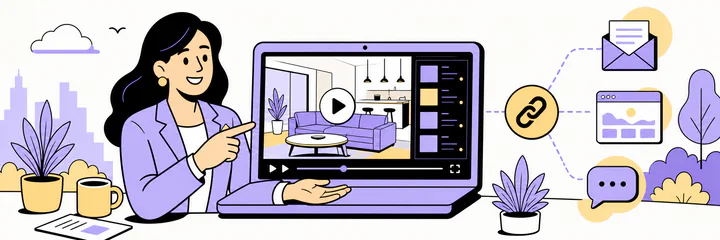
Lecture captures, project demos and walkthroughs, shared as links instead of attachments that never fit.
- Presentations
- Assignments
- Group projects
- Online learning
Reference a project demo in a report with a link instead of a file.

From MP4 to URL in Seconds
There is no queue and no rendering farm, because nothing is converted. The convert mp4 to URL step happens during the upload itself, so your mp4 to link result is ready the instant the progress bar ends. On a typical connection a short clip becomes a link in seconds, and a phone upload works just as well as a desktop one.
Opening the link is just as quick. Every mp4 to link result is served from a global CDN, so the video starts streaming from a server near the person watching — in Berlin, São Paulo or Tokyo — instead of crawling back to a single origin. No app opens, no download bar, no waiting screen: the page loads, the play button is right there, and the video runs at the quality you exported.
Speed is also why an mp4 to URL link beats an attachment. Attachments upload again every time you send them and force a download on every recipient. Convert mp4 to link once, and from then on you only ever paste a short URL — sending it is instant for you, and watching it is instant for them.
Frequently asked questions
Is there a real free tier for mp4 to link?
Yes. Convert mp4 to link free, up to 100MB per file, with no account and no trial clock. Signing in is also free.
Do I have to convert MOV or WebM to MP4 first?
No. MOV, WebM, MKV and M4V upload directly alongside MP4 — no conversion on your side. Pictures have their own Image to Link page.
Will my MP4 be compressed or re-encoded?
Never. Convert mp4 to link here and the link streams the exact file you exported, bit for bit.
How fast is the convert mp4 to link step?
As fast as the upload. There is no queue behind it — the mp4 to link URL exists the moment the progress bar completes.
How long does an mp4 to link URL keep working?
21 days for guest uploads; sign in free and it stays up for as long as your account does.
Can I send an mp4 link instead of an email attachment?
That is the main use: convert mp4 to link, then paste the link where the file will not fit. It slides past attachment caps, and in most chat apps it unfurls into a playable card.
Who can open the link I share?
Anyone you hand the link to — that is the point of a link. We never publish it anywhere, and the page is kept out of search engines, but whoever receives it can pass it on.
Can I take a link down after sharing it?
Yes. Sign in, open My Videos and delete the file — the link stops working immediately. Guest uploads age out after 21 days on their own.
Does the viewer need an app or account?
No. Every mp4 to link result opens in the browser on any device; the person watching never signs up.